
Too much sold on credit
Wholesale runs on credit, and the limit often lives in the owner's head. A customer who already owes a large amount gets another delivery because nobody could see the balance at the time.
Wholesale operations
Manage customer pricing, bulk orders, inventory commitments, credit sales, delivery, invoicing, and collections through one connected workflow.
eSolverBooks / Sales / Invoice register
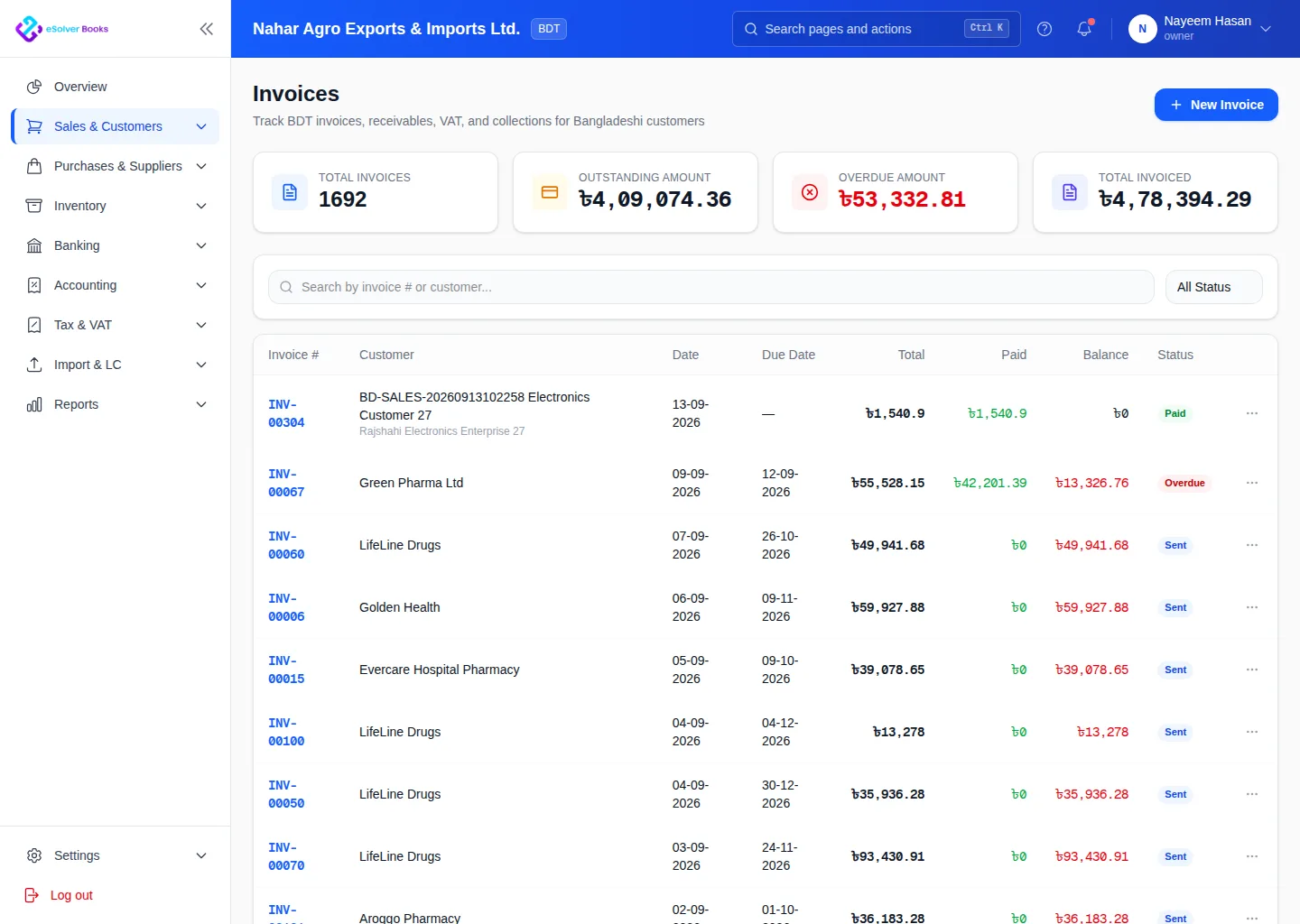
One connected workflow
Wholesale businesses need to move volume without losing control of price, margin, stock, or customer credit. eSolverBooks connects commercial activity with inventory and receivables so sales teams and finance teams work from the same record.
The everyday problem
Wholesale runs on credit, and the limit often lives in the owner's head. A customer who already owes a large amount gets another delivery because nobody could see the balance at the time.
Each customer has agreed rates, and the one who remembers them best gets them right. Inconsistent prices quietly erode margin.
Goods leave on a challan, the invoice follows days later and quantities disagree. Disputes over what was delivered take time to resolve.
Without an aging view, follow-up goes to whoever shouts loudest, not to the oldest and largest balances.
Core capabilities
Maintain customer-specific rates, price lists, discounts, taxes, and commercial terms for repeat B2B selling.
Capture bulk orders, check item availability, follow fulfillment, and preserve the commercial record before invoicing.
Review customer balances, credit limits, overdue invoices, and payment behavior before extending more credit.
Connect sales orders with challans, warehouse movement, invoice quantities, and delivery history.
Use due dates, aging, statements, receipts, credits, and collection notes to prioritize customer follow-up.
Compare selling price, discount, tax, and item cost to understand the value of wholesale activity.
How it works
Apply the right customer terms, quantities, pricing, discounts, taxes, and credit controls.
Prepare goods, record delivery, create the invoice, and update stock and receivables.
Apply receipts, manage credits, monitor aging, and review customer and product performance.
Business outcomes
Consistent customer-specific pricing
Stronger control over credit sales
Connected order-to-cash records
Clearer wholesale margin information
Compliance
Business customers expect proper tax documents and will ask for them. Having them come out of the sales workflow saves rework.
Day one
Questions
Yes. Customer price lists are included on every plan, so negotiated rates are applied when you invoice.
Sales orders and delivery challans are part of the Professional plan and above, and stock leaves the store when the challan is delivered. Enterprise adds stock reserved for confirmed sales orders.
Accounts receivable aging and the NBR register are available on every plan. Aging shows invoices by how long they have been outstanding so you can prioritise follow-up.
Yes. Customer import from Excel is included on every plan.
Starter allows up to 50 invoices per month. Professional and Enterprise include unlimited invoices, which suits most wholesalers.
Yes. Starter includes 2 users, Professional 5 and Enterprise 10, with additional users available at a per-user monthly rate shown on the pricing page.
Get started
Discuss your current process, data, team, and reporting requirements with eSolverBooks.