
A clear order of precedence
The customer's own list first, then the default list, then the product's normal selling price. Nothing is left to chance.
A garment exporter, a regional distributor and a walk-in customer rarely pay the same price. Price lists let you keep separate prices per customer group, add quantity breaks for bulk buyers, and have the correct price appear on the invoice without anyone checking a spreadsheet.
eSolverBooks / Sales / Price lists
How it works
A practical workflow your team can follow without adding disconnected spreadsheets or repeated data entry.
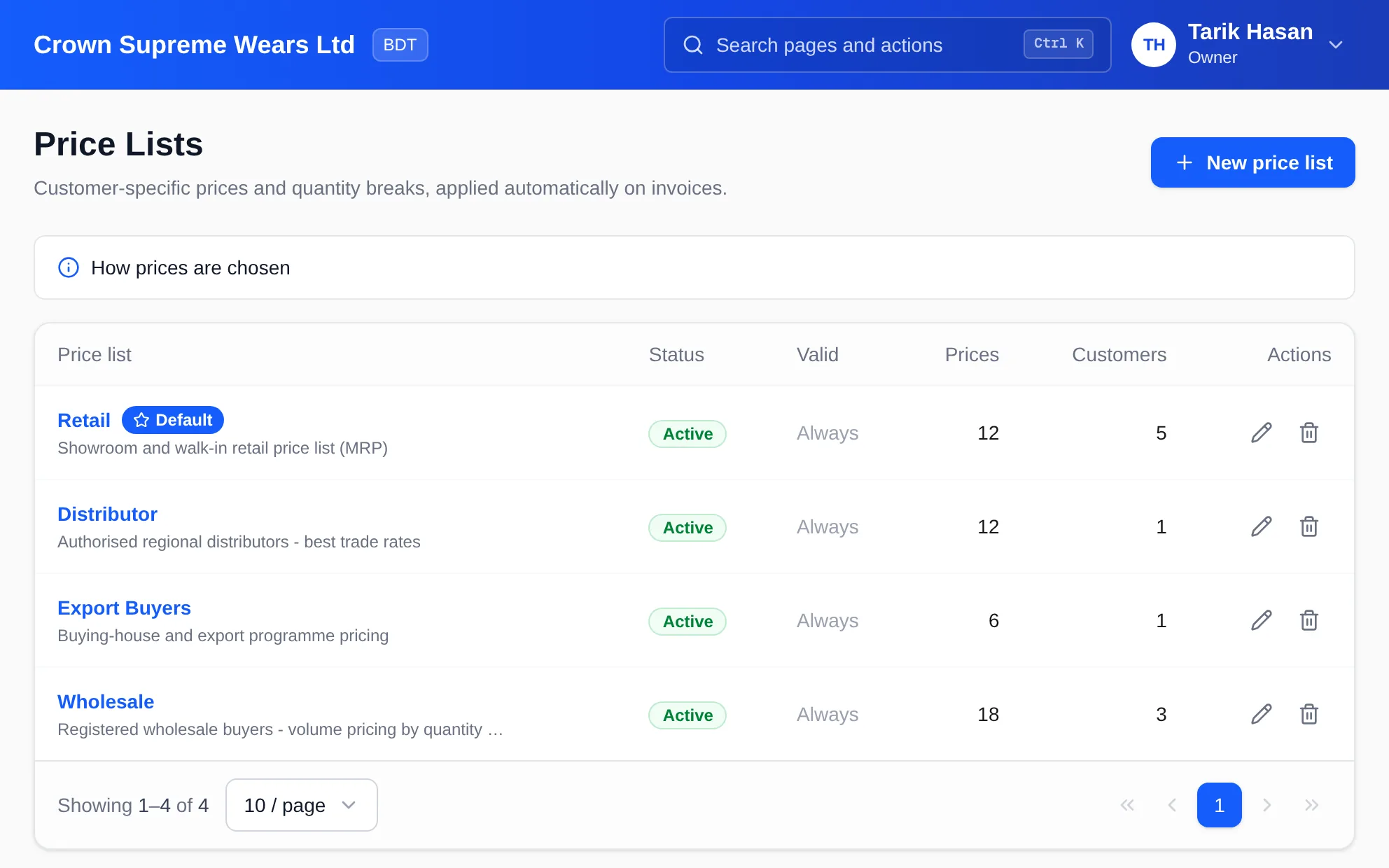
Make one list per customer group: retail (marked as the default), wholesale, distributor, export buyers.
Price each product or variant, and add quantity breaks such as a lower rate from 100 pieces.
Set each customer's price list on their customer record. Customers without one use the default list.
The price is picked automatically when the item is added. Use the price checker to see what any customer would pay today.
What you get
Salespeople stop guessing rates, discounts stop leaking, and every invoice follows the commercial terms you agreed.
The customer's own list first, then the default list, then the product's normal selling price. Nothing is left to chance.
A price for a specific size or colour beats a price for the whole product, so a premium variant can carry its own rate.
Within a list, the highest quantity break the order reaches wins, which rewards bulk buying without manual discounts.
Give a list start and end dates for a seasonal offer. Outside its dates, or when inactive, the list is ignored.
Load prices as product, minimum quantity and price, and choose whether to replace everything already on the list.
Pick a customer, product and quantity and see the price they would get on an invoice today, using every pricing rule.
Feature details
Understand the main workflow, what belongs inside it and how each capability supports accurate daily work.
Main feature item
One list per commercial relationship.
What it includes
4 connected capabilities designed to keep this part of price lists & tiered pricing organized.
Included sub-items
Create lists such as Retail, Wholesale, Distributor and Export Buyers, each with a description your team understands.
Mark one list as the default so every customer without their own list still gets a sensible price.
Switch a list off, or set valid-from and valid-to dates, without deleting its history.
See how many prices each list holds and how many customers use it before you change anything.
Main feature item
Set rates where they actually differ.
What it includes
4 connected capabilities designed to keep this part of price lists & tiered pricing organized.
Included sub-items
Price a whole product, or a single variant such as a size, and let the more specific price win.
Add minimum quantities with their own price, for example a trade rate from a carton or from 500 pieces.
Upload a list of product, minimum quantity and price instead of keying hundreds of rows by hand.
When uploading, choose whether to replace every price already on the list or only add and update rows.
Main feature item
No manual lookup at the point of sale.
What it includes
4 connected capabilities designed to keep this part of price lists & tiered pricing organized.
Included sub-items
When an item is added to an invoice, the price follows the customer's list. The salesperson can still see where it came from.
A customer's list lives on their customer record, so every invoice for that customer starts from the same rates.
When no list has a price for a product at that quantity, the product's ordinary selling price is used instead of a blank.
Answer a customer's phone call in seconds by checking the exact rate for a product and quantity.
Main feature item
Pricing is a business decision, not an accident.
What it includes
4 connected capabilities designed to keep this part of price lists & tiered pricing organized.
Included sub-items
Run an Eid or year-end offer as a dated list and let it expire on its own.
Switch a list off and it stops affecting invoices immediately, without losing its prices.
Customer price lists are available on Starter, Professional and Enterprise.
The same precedence rules apply to every invoice, so two salespeople cannot end up with different prices for the same customer.
Keep exploring
Create a clearer workflow and give your team information they can understand and trust.