
Issue or keep as draft
Choose whether each run issues the invoice automatically and emails the customer, or leaves a draft for someone to review first.
Many Bangladeshi businesses bill the same customers the same way every period: a monthly QC and inspection retainer, a quarterly supply agreement, an annual licensing fee. Set the schedule once and eSolverBooks raises the invoice for you on the due date, with the right customer, lines, VAT and payment terms.
eSolverBooks / Sales / Recurring invoices
How it works
A practical workflow your team can follow without adding disconnected spreadsheets or repeated data entry.
Choose the customer and give the schedule a clear name, such as a monthly retainer or a quarterly supply agreement.
Enter the items, quantities and prices. Prices are taken from these lines every time, exactly as typed, and the total shows before you start.
Repeat every day, week, month, quarter or year, choose the start date, and end after a date or a number of invoices, or never.
Preview the next invoice dates, then activate. Each run creates the invoice, and optionally issues it and emails the customer.
What you get
No invoice is forgotten at month end, billing stops depending on one person's memory, and expected cash is visible weeks before it falls due.
Choose whether each run issues the invoice automatically and emails the customer, or leaves a draft for someone to review first.
A customer who is over their credit limit gets a draft instead of an issued invoice, and the schedule carries on.
A schedule that starts on the 31st uses the last day of shorter months, then returns to the 31st.
If a run is missed, for example while the system was down, it catches up (up to 12 invoices), each dated on its own scheduled date.
A failed run is retried. After five failures in a row the schedule pauses so it does not keep failing quietly.
If the scheduled date falls inside a locked accounting period, the invoice is dated today instead of reopening the books.
Feature details
Understand the main workflow, what belongs inside it and how each capability supports accurate daily work.
Main feature item
Describe a repeat sale once.
What it includes
4 connected capabilities designed to keep this part of recurring invoices organized.
Included sub-items
Attach the schedule to a saved customer and name it so the finance team can find it, for example a monthly polo shirt supply contract.
Items, quantities and prices are fixed on the schedule, so every invoice for the period is identical unless you change it.
Set the days after the invoice date when payment falls due. Use 0 for due on receipt.
Add a note that appears on every invoice, such as bank details or late-payment terms, plus a private internal note.
Main feature item
Daily, weekly, monthly, quarterly or yearly.
What it includes
4 connected capabilities designed to keep this part of recurring invoices organized.
Included sub-items
Pick the repeat period and the date of the first invoice. A start date in the past is refused so nothing is back-dated by accident.
Stop on an end date, after a set number of invoices, or leave it running until you end it.
See the dates the schedule will produce before it starts, so a wrong interval is caught immediately.
Changes apply to invoices created from now on. Invoices already raised are not touched.
Main feature item
See every schedule in one list.
What it includes
4 connected capabilities designed to keep this part of recurring invoices organized.
Included sub-items
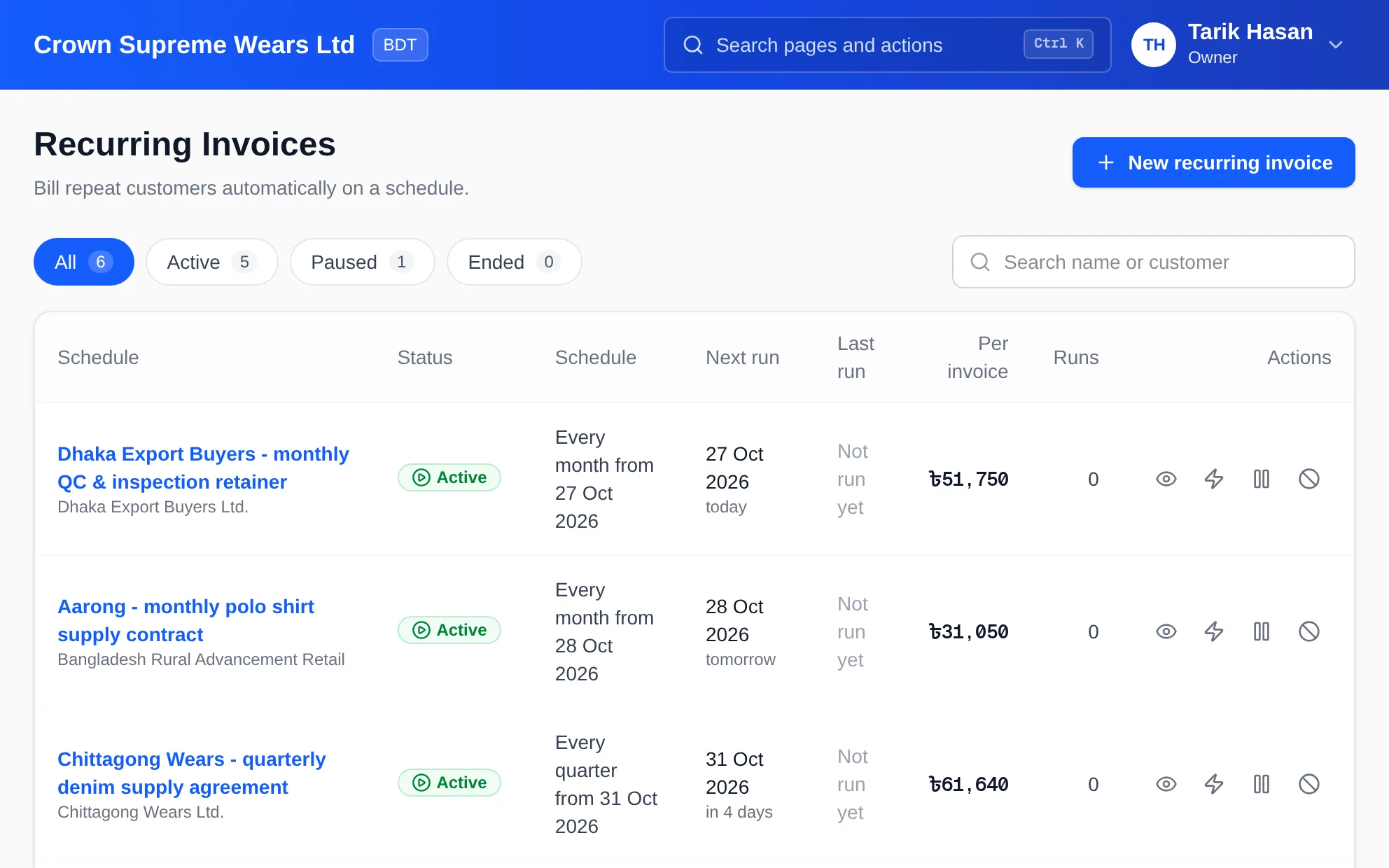
Filter schedules by active, paused or ended, and search by schedule name or customer.
Each schedule shows its next run date, when it last ran, how many invoices it has produced and the amount per invoice.
Trigger an invoice immediately, pause a schedule while a contract is renegotiated, or end it for good.
Resuming a paused schedule skips the dates that passed while it was paused; they are not billed afterwards.
Main feature item
Recurring invoices are ordinary invoices.
What it includes
4 connected capabilities designed to keep this part of recurring invoices organized.
Included sub-items
Each generated invoice carries VAT as normal and feeds the sales register, so Mushak records stay complete.
Collect against generated invoices like any other and watch them in receivable aging.
When enabled, the invoice is emailed to the customer's address each time it is issued. Drafts are never emailed.
Every generated invoice is numbered in sequence and stays linked to the schedule that produced it.
Keep exploring
Create a clearer workflow and give your team information they can understand and trust.