
One chain, no re-keying
Estimate, order, challan and invoice carry the same lines forward.
Estimates, sales orders, delivery challans, invoices and receipts are stages of the same transaction rather than five separate documents. Each stage inherits what came before it, so the customer, pricing, quantities and tax treatment are entered once.
eSolverBooks / Sales / Sales orders
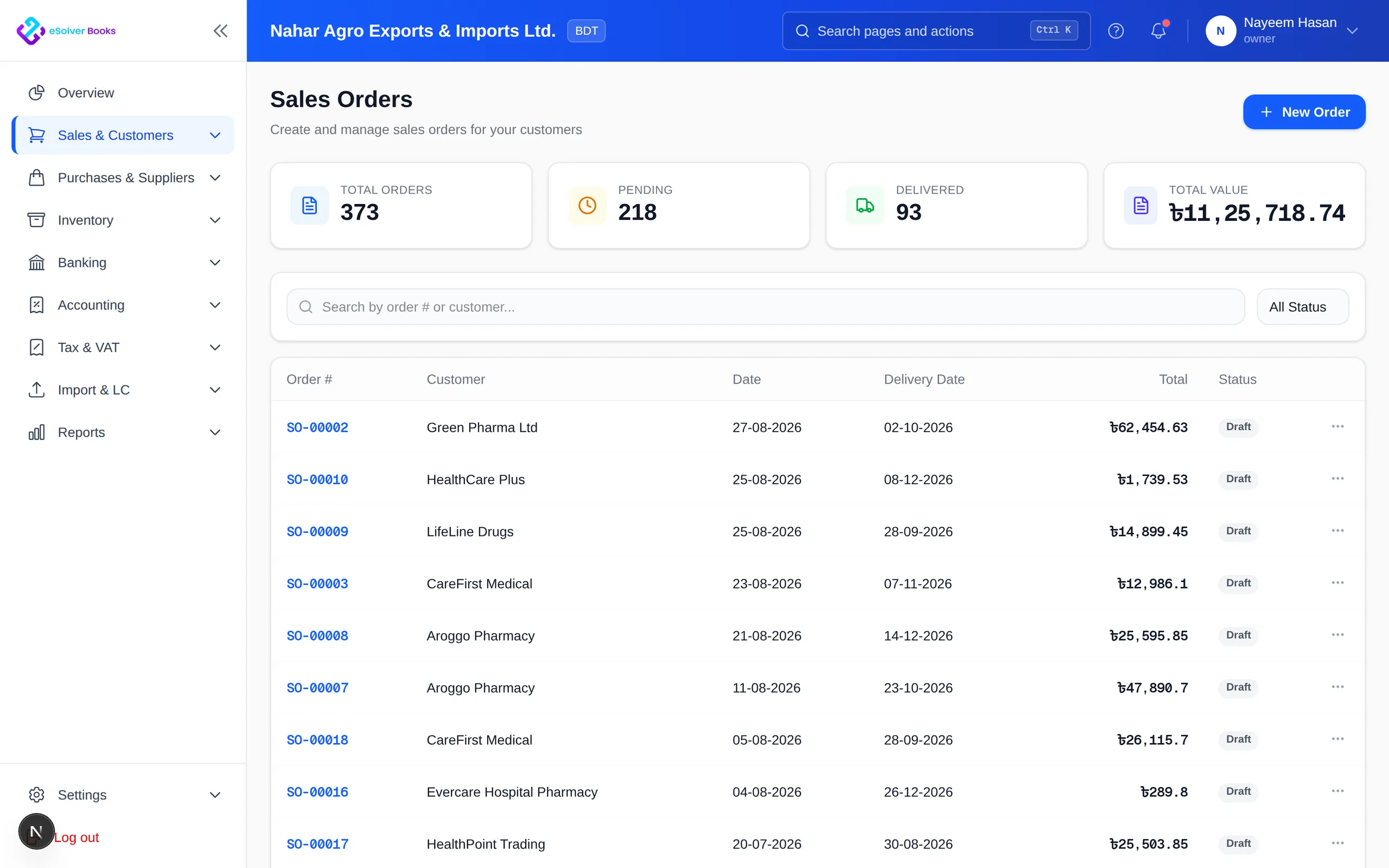
How it works
A practical workflow your team can follow without adding disconnected spreadsheets or repeated data entry.
Issue an estimate with agreed pricing, taxes and validity, and revise it until it is accepted.
Convert the accepted estimate into a sales order that reserves stock and records the commitment.
Raise the delivery challan, move stock out of the right warehouse, then invoice the delivered quantity.
Apply receipts against open invoices, handle returns through credit notes and watch the aging clear.
What you get
Sales and finance work from one record, delivery matches what was ordered, and nobody rebuilds an invoice from a challan by hand.
Estimate, order, challan and invoice carry the same lines forward.
Confirmed orders reserve inventory so it is not sold twice.
Deliver and invoice what is ready without closing the balance of the order.
Produce the challan the driver carries, linked to the order it came from.
See what is still owed to each customer across all open orders.
Compare selling price against item cost before the discount is agreed.
Feature details
Understand the main workflow, what belongs inside it and how each capability supports accurate daily work.
Main feature item
Agree the commercial terms before anything moves.
What it includes
4 connected capabilities designed to keep this part of sales order to cash organized.
Included sub-items
Issue quotations with pricing, tax and a validity date, and revise until accepted.
Apply the rates and discounts agreed with that specific customer.
Turn an accepted estimate into a sales order without re-entering the lines.
See the customer's exposure and limit before confirming the order.
Main feature item
Move the goods and record it properly.
What it includes
4 connected capabilities designed to keep this part of sales order to cash organized.
Included sub-items
Reserve inventory against confirmed orders so it is not promised twice.
Produce the despatch document and reduce the correct warehouse.
Ship what is available and keep the balance of the order open.
See everything still owed to customers across open orders.
Main feature item
Turn delivery into money.
What it includes
4 connected capabilities designed to keep this part of sales order to cash organized.
Included sub-items
Bill the delivered quantity, not the ordered quantity, unless you choose otherwise.
Apply payments across one or several open invoices.
Handle returns with stock, VAT and the customer ledger all reversed together.
Prioritise collection by value at risk and days overdue.
Create a clearer workflow and give your team information they can understand and trust.