
Transact in the customer's currency
Invoice and bill in USD, EUR, GBP or CNY while reporting in BDT.
Record customer, supplier, bank and import activity in its original currency while maintaining consistent base-currency books.
eSolverBooks / Banking / Foreign exchange
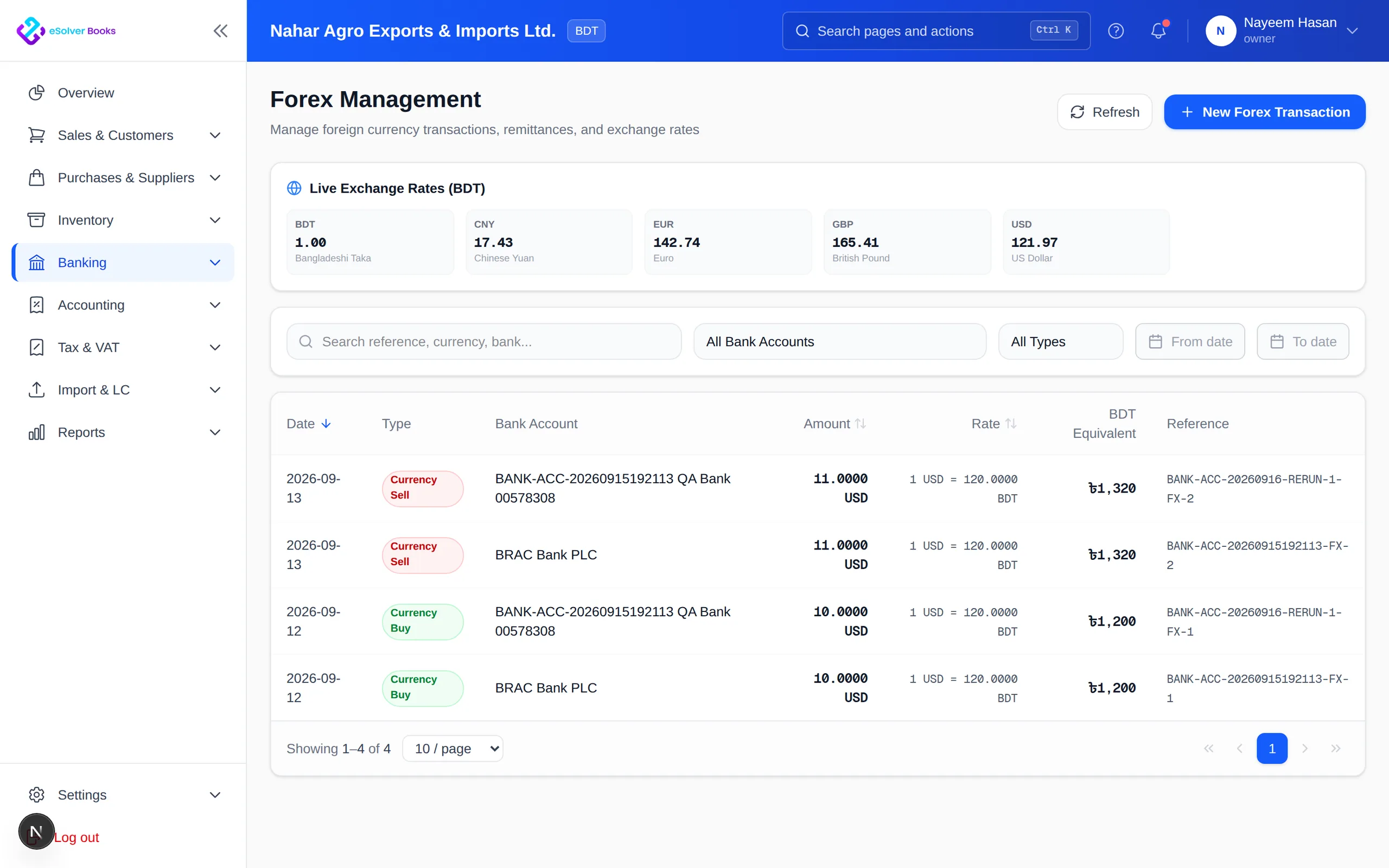
How it works
A practical workflow your team can follow without adding disconnected spreadsheets or repeated data entry.
Set the reporting currency and enable the currencies used by customers and suppliers.
Save the applicable exchange rate with each invoice, bill, receipt and payment.
Match payments in the transaction currency and calculate realized differences.
Update qualifying open monetary balances and report the exchange effect separately.
What you get
Structured currency accounting preserves commercial values, explains exchange differences and keeps reports comparable.
Invoice and bill in USD, EUR, GBP or CNY while reporting in BDT.
The rate used is stored with the entry and never retro-applied.
Settlement differences are calculated and posted when the payment lands.
Open monetary balances are restated and the unrealised effect reported separately.
See what each foreign supplier or customer owes in their own currency.
Treatment follows the standard, which matters when the accounts are audited.
Feature details
Understand the main workflow, what belongs inside it and how each capability supports accurate daily work.
Main feature item
Define a consistent exchange framework.
What it includes
4 connected capabilities designed to keep this part of multi-currency support organized.
Included sub-items
Maintain books in one reporting currency.
Enable currencies used by partners.
Store dated rates for transactions.
Keep foreign balances in native values.
Main feature item
Trade in the currency partners expect.
What it includes
4 connected capabilities designed to keep this part of multi-currency support organized.
Included sub-items
Bill customers and post base equivalents.
Preserve overseas obligations.
Use the rate on payment date.
Record conversion between currency accounts.
Main feature item
Explain exchange impact clearly.
What it includes
4 connected capabilities designed to keep this part of multi-currency support organized.
Included sub-items
Recognize gains or losses on settlement.
Update open balances at closing rates.
Compare native and base values.
Report activity in the base currency.
Accounting reference
This feature explanation is informed by recognized accounting and control guidance. Your configuration and filing obligations should still be reviewed for your organization and jurisdiction.
Create a clearer workflow and give your team information they can understand and trust.