
Perpetual stock and value
Quantity and cost move together on every receipt, issue, transfer and adjustment.
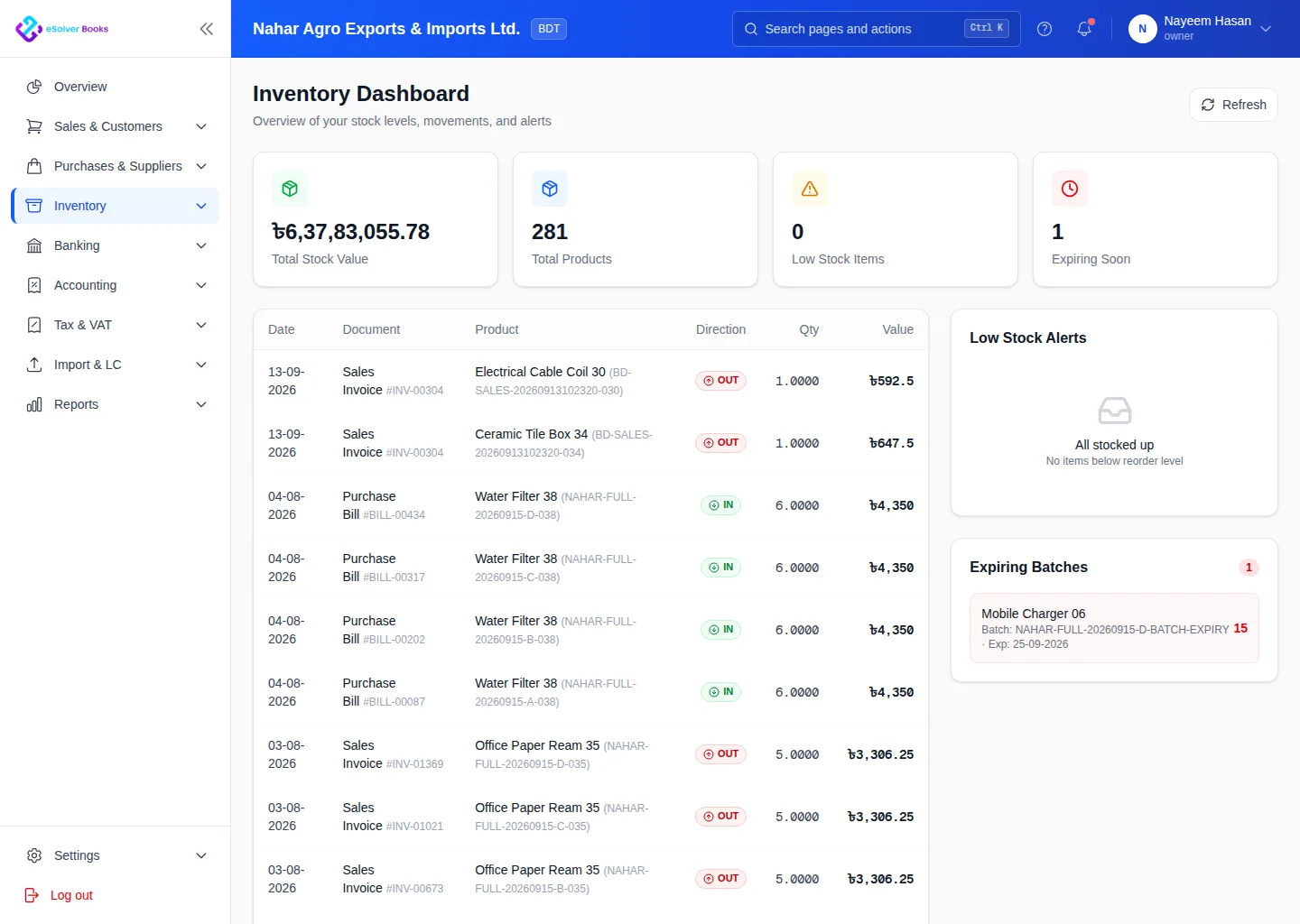
Connect purchases, sales and stock movements across warehouses. Current quantities and values help teams fulfill and replenish intelligently.
eSolverBooks / Inventory / Inventory overview
How it works
A practical workflow your team can follow without adding disconnected spreadsheets or repeated data entry.
Set up SKUs, units, variants, categories, prices and opening stock.
Capture receipts, deliveries, transfers, returns and adjustments by location.
Review on-hand, committed and reorder quantities before purchasing or promising stock.
Complete stock counts and review the ledger, valuation and cost of sales.
What you get
Accurate stock control reduces shortages and excess inventory while keeping cost of sales and balance sheet values aligned.
Quantity and cost move together on every receipt, issue, transfer and adjustment.
See what is where before promising delivery or raising a purchase order.
Track stock by batch with expiry surfaced ahead of time, not after write-off.
Reorder level and quantity per item per location, so replenishment is not guesswork.
Identify capital sitting still before it becomes dead stock.
Stock value reconciles to the inventory control account in the ledger.
Feature details
Understand the main workflow, what belongs inside it and how each capability supports accurate daily work.
Main feature item
Build a clean, reusable item catalog.
What it includes
4 connected capabilities designed to keep this part of inventory management organized.
Included sub-items
Organize SKUs, units and product options.
Group items for reporting and mapping.
Maintain purchase and sales prices.
Bring starting quantity and value by location.
Main feature item
Record every inventory movement.
What it includes
4 connected capabilities designed to keep this part of inventory management organized.
Included sub-items
Increase stock from approved purchases.
Reduce the correct warehouse on fulfillment.
Move stock between locations.
Document damage and count differences.
Main feature item
Turn stock data into decisions.
What it includes
4 connected capabilities designed to keep this part of inventory management organized.
Included sub-items
Find items approaching minimum levels.
Review quantity and value movement.
Measure closing stock and cost of sales.
Find items tying up working capital.
Create a clearer workflow and give your team information they can understand and trust.