
Included on every plan
Estimates and quotations are on Starter, Professional and Enterprise.
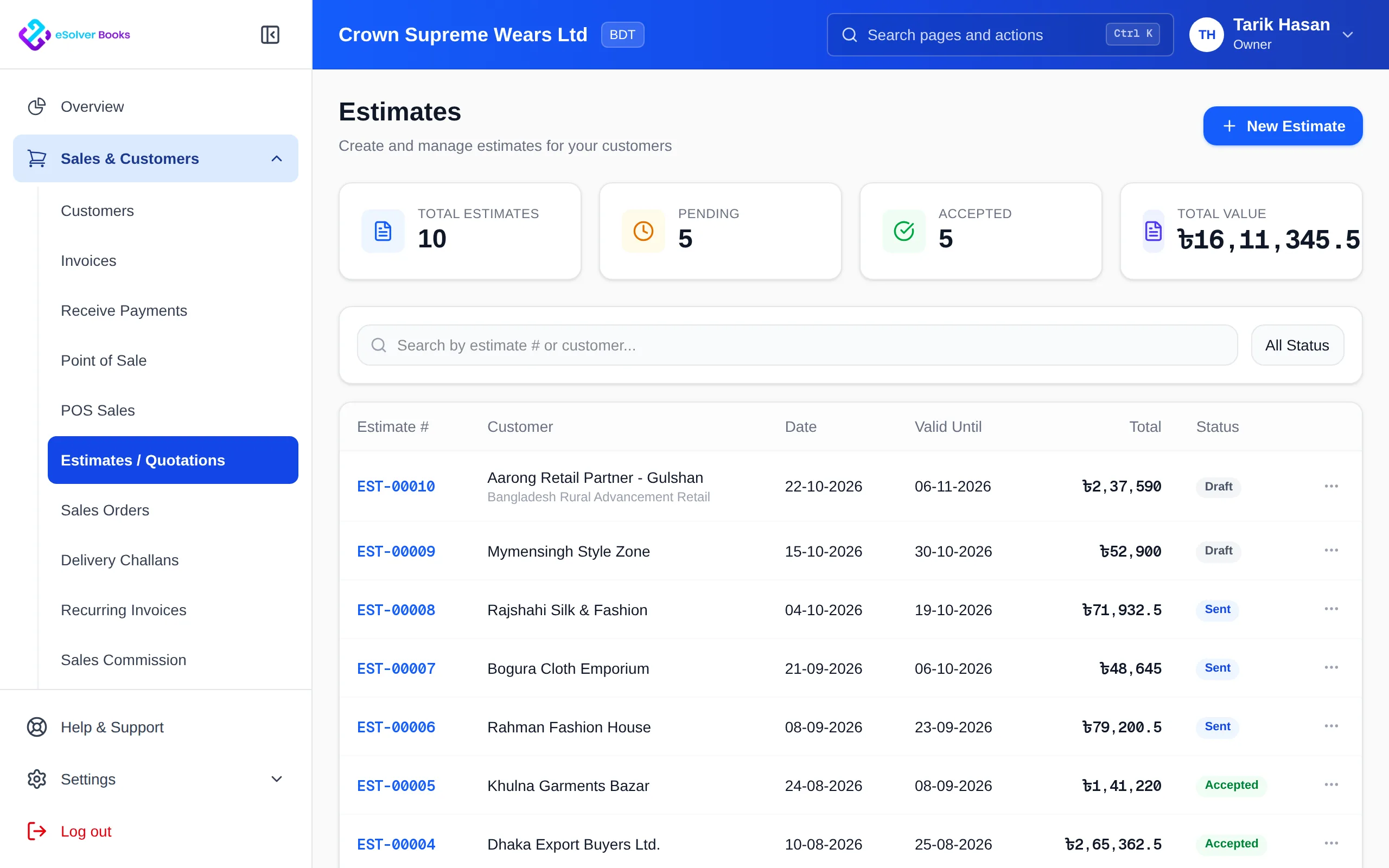
A quotation is the first document in most sales. Build it from your product list and price list, send it with a validity date, track whether the customer accepted or declined, and convert the accepted quotation without typing the lines again.
eSolverBooks / Sales / Estimate / quotation
How it works
A practical workflow your team can follow without adding disconnected spreadsheets or repeated data entry.
Choose the customer, add items and quantities, and let VAT be worked out for each line.
Give the offer a Valid Until date so everyone knows when the price expires.
Send the estimate, then mark it sent, accepted or declined as the conversation moves.
Convert an accepted estimate to an invoice. On Professional and Enterprise, carry it through a sales order and delivery challan first.
What you get
Faster quotes, fewer re-keying errors, and a clear view of which offers are open, won or lost.
Estimates and quotations are on Starter, Professional and Enterprise.
Quotations use the same customers and products as invoices, so details are entered once.
Every estimate carries a Valid Until date, so an old quote is not honoured by accident.
Draft, sent, accepted and declined statuses show where each offer stands.
Converting an accepted estimate carries across customer, lines and tax treatment.
Find any estimate by number or customer name.
Feature details
Understand the main workflow, what belongs inside it and how each capability supports accurate daily work.
Main feature item
Everything on one form.
What it includes
4 connected capabilities designed to keep this part of quotations & estimates organized.
Included sub-items
Pick a saved customer so billing details, terms and price list come with them.
Add products or services with quantities, prices and discounts. VAT is worked out per line.
Give every quotation a Valid Until date so an old price is not honoured by accident.
Subtotal, discount, VAT and grand total update as lines change.
Main feature item
Know what is open.
What it includes
4 connected capabilities designed to keep this part of quotations & estimates organized.
Included sub-items
Issue the quotation to the customer and record that it has been sent.
Mark the outcome so open quotations are separated from won and lost ones.
Search and filter every estimate by customer, number and status.
See at a glance which quotations are still within their validity period.
Main feature item
From offer to order to invoice.
What it includes
4 connected capabilities designed to keep this part of quotations & estimates organized.
Included sub-items
Turn an accepted estimate into an invoice with the same lines, prices and VAT.
On Professional and Enterprise, confirm a sales order first, then deliver on a challan and invoice.
The invoice remembers the estimate it came from, which makes disputes easy to resolve.
Accepted work flows into receivables through the invoice, not through a side spreadsheet.
Main feature item
Quotations that protect margin.
What it includes
4 connected capabilities designed to keep this part of quotations & estimates organized.
Included sub-items
Every quotation is numbered and tied to a customer record, so offers are easy to find later.
Find any estimate by number or customer name, and filter by status.
Quotations use the same customer and product records as invoices, so nothing is set up twice.
Every estimate records who created it and when.
Keep exploring
Create a clearer workflow and give your team information they can understand and trust.