
Three bank channels
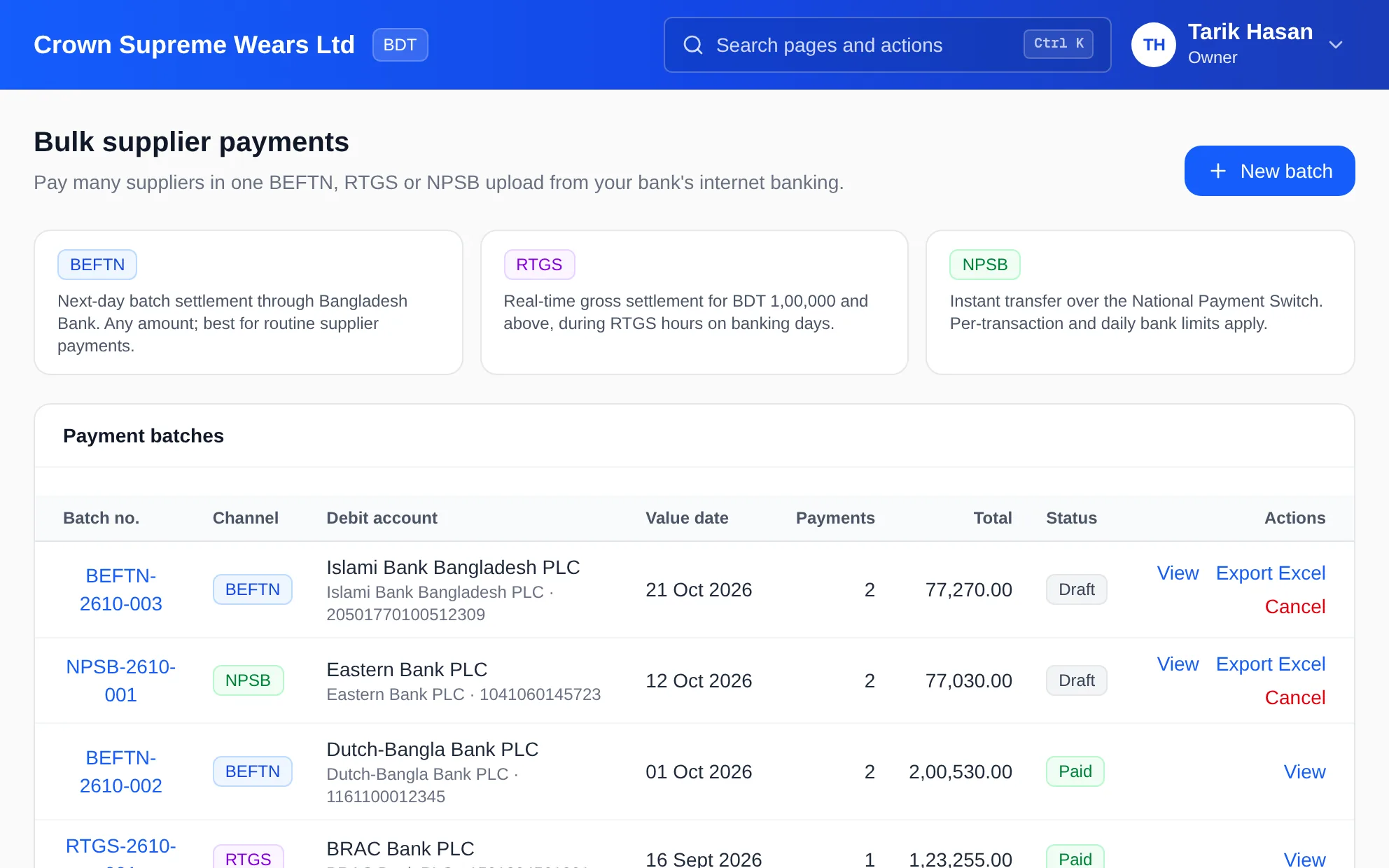
BEFTN for next-day batch settlement, RTGS for large real-time transfers from BDT 1,00,000, NPSB for instant transfers within bank limits.
Included in the Enterprise plan
Paying twenty suppliers one transfer at a time is slow and error-prone. Group approved bills into a payment batch, export an Excel file shaped for BEFTN, RTGS or NPSB, upload it to your bank's internet banking, then mark the batch paid to book each payment against its bill.
eSolverBooks / Banking / Bulk supplier payments
How it works
A practical workflow your team can follow without adding disconnected spreadsheets or repeated data entry.
Choose the channel (BEFTN, RTGS or NPSB), the bank account to debit and the value date.
Pick the suppliers to pay. You can select all suppliers who have bank details recorded.
Download the file and upload it to your bank's internet-banking bulk transfer screen.
After the bank executes the transfers, enter the execution date and mark the batch paid. Each payment is booked against the supplier's bills.
What you get
Payment day takes minutes, every transfer is traceable to a bill, and supplier balances update only after the bank has executed.
BEFTN for next-day batch settlement, RTGS for large real-time transfers from BDT 1,00,000, NPSB for instant transfers within bank limits.
Until you mark the batch paid, nothing is booked. Cancelling a draft simply discards it.
A batch that has already been exported warns you before you export again, to prevent double submission.
Marking the batch paid books each supplier payment against their open bills.
Every batch with channel, debit account, value date, number of payments, total and status.
Bulk payment batches are included on the Enterprise plan.
Feature details
Understand the main workflow, what belongs inside it and how each capability supports accurate daily work.
Main feature item
Decide how and when to pay.
What it includes
4 connected capabilities designed to keep this part of bulk supplier payments (beftn & rtgs) organized.
Included sub-items
Pick BEFTN, RTGS or NPSB, each with a plain-language note on timing and limits.
Select the bank account the batch will be paid from.
Set the date you expect the bank to execute the transfers.
Choose individual suppliers or select all with bank details recorded.
Main feature item
Fit the bank's own process.
What it includes
4 connected capabilities designed to keep this part of bulk supplier payments (beftn & rtgs) organized.
Included sub-items
Download the batch as an Excel file ready for your bank's bulk transfer screen.
Open any batch to see each supplier, bank details and amount.
Until the bank has executed, the batch remains a draft and supplier balances do not change.
Cancel a batch that will not be sent. Nothing has been booked, so cancelling only discards it.
Main feature item
Close the loop after the bank acts.
What it includes
4 connected capabilities designed to keep this part of bulk supplier payments (beftn & rtgs) organized.
Included sub-items
Enter the date the bank executed the transfers and confirm.
Each supplier payment is booked against the right bills, reducing payables.
Use supplier reconciliation to confirm that what you paid agrees with the supplier's own statement.
Paid batches stay in the register with their channel, debit account, value date and total.
Main feature item
Large payments need discipline.
What it includes
4 connected capabilities designed to keep this part of bulk supplier payments (beftn & rtgs) organized.
Included sub-items
Pair batches with your approval policy so payments are reviewed before they leave.
Draft, paid and cancelled batches stay on record.
Keep bank details on the supplier record, so a batch does not depend on re-typing account numbers.
Check payables aging and bank balances before choosing which suppliers to include.
Keep exploring
Create a clearer workflow and give your team information they can understand and trust.