
Books lock
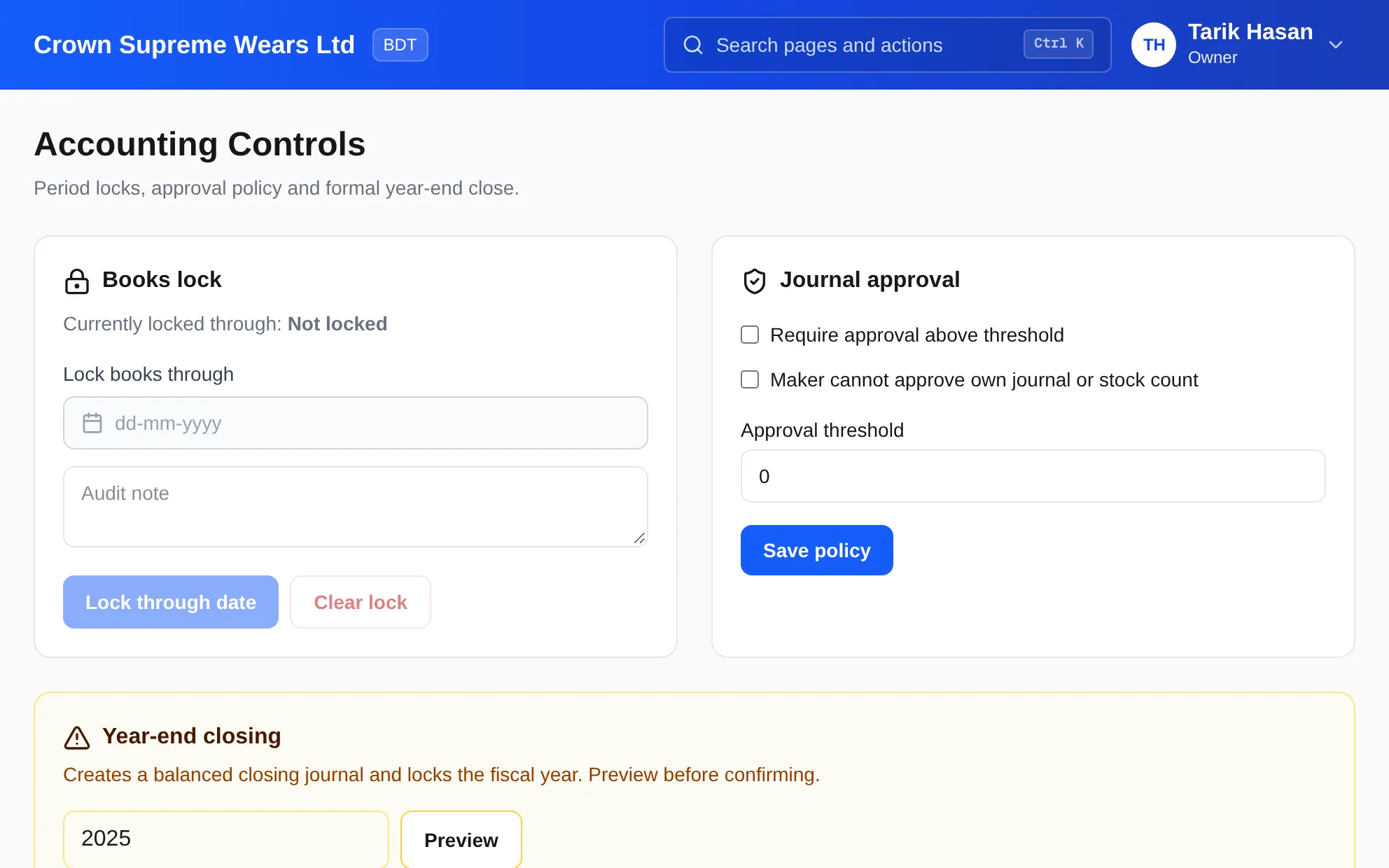
Lock the books through a date so reported periods cannot be changed by a later entry.
Once a month is reported, nobody should be able to quietly change it. Lock the books through a date, require approval for large manual journals, and close the fiscal year with a balanced closing journal you preview first.
eSolverBooks / Accounting / Accounting controls
How it works
A practical workflow your team can follow without adding disconnected spreadsheets or repeated data entry.
Choose whether journals above a threshold need approval, and whether the maker may approve their own entry.
Open Journal Approvals to see entries awaiting approval, with date, submitter and amount.
After month-end review, lock the books through a date with an audit note.
Preview the closing journal for the fiscal year, then close it. Reopening requires a recorded reason.
What you get
Reported periods stay reported, large entries get a second pair of eyes, and year-end becomes a controlled step rather than a scramble.
Lock the books through a date so reported periods cannot be changed by a later entry.
Set an amount above which a manual journal must be approved before it affects the ledger.
A switch stops the person who created a journal or stock count from approving it themselves.
See accounts to close, total revenue, expenses and net income before confirming.
Reopening locked books or a closed year demands a reason of at least five characters.
Every lock and reopen is logged with who did it, the date and the note.
Feature details
Understand the main workflow, what belongs inside it and how each capability supports accurate daily work.
Main feature item
Protect reported periods.
What it includes
4 connected capabilities designed to keep this part of accounting controls & journal approval organized.
Included sub-items
Choose any past date; nothing may be posted on or before it.
Record why the books were locked, such as VAT return filed for the period.
Reopen the books when a correction is genuinely needed, with a recorded reason.
See each lock and reopen with the user and date.
Main feature item
A second pair of eyes.
What it includes
4 connected capabilities designed to keep this part of accounting controls & journal approval organized.
Included sub-items
Require approval for journals above an amount you set.
Prevent anyone approving their own journal or stock count.
Journals awaiting approval are listed with submitter, date and amount.
Reviewers decide before the entry reaches the general ledger.
Main feature item
A controlled finish to the fiscal year.
What it includes
4 connected capabilities designed to keep this part of accounting controls & journal approval organized.
Included sub-items
See revenue, expenses, net income and the number of accounts to close.
Post a balanced closing journal and lock the fiscal year.
Each closed year is listed with its net income and status.
A closed year can be reopened if truly required, with the reason recorded.
Main feature item
Part of a wider control framework.
What it includes
4 connected capabilities designed to keep this part of accounting controls & journal approval organized.
Included sub-items
Only owners and administrators see Accounting Controls.
Rent, amortisation and accruals post on a schedule you can review.
On Enterprise, audit logs record who changed what and when.
The same maker-checker rule applies to stock count reconciliations.
Accounting reference
This feature explanation is informed by recognized accounting and control guidance. Your configuration and filing obligations should still be reviewed for your organization and jurisdiction.
Keep exploring
Create a clearer workflow and give your team information they can understand and trust.