
Head office waits for branch reports
Each branch sends its own sheet, in its own format, days after month end. Consolidating them is manual work.
Multi-branch businesses
Run several outlets, stores and cost centres on one set of books with branch-level reporting, stock transfers, approvals and an audit trail.
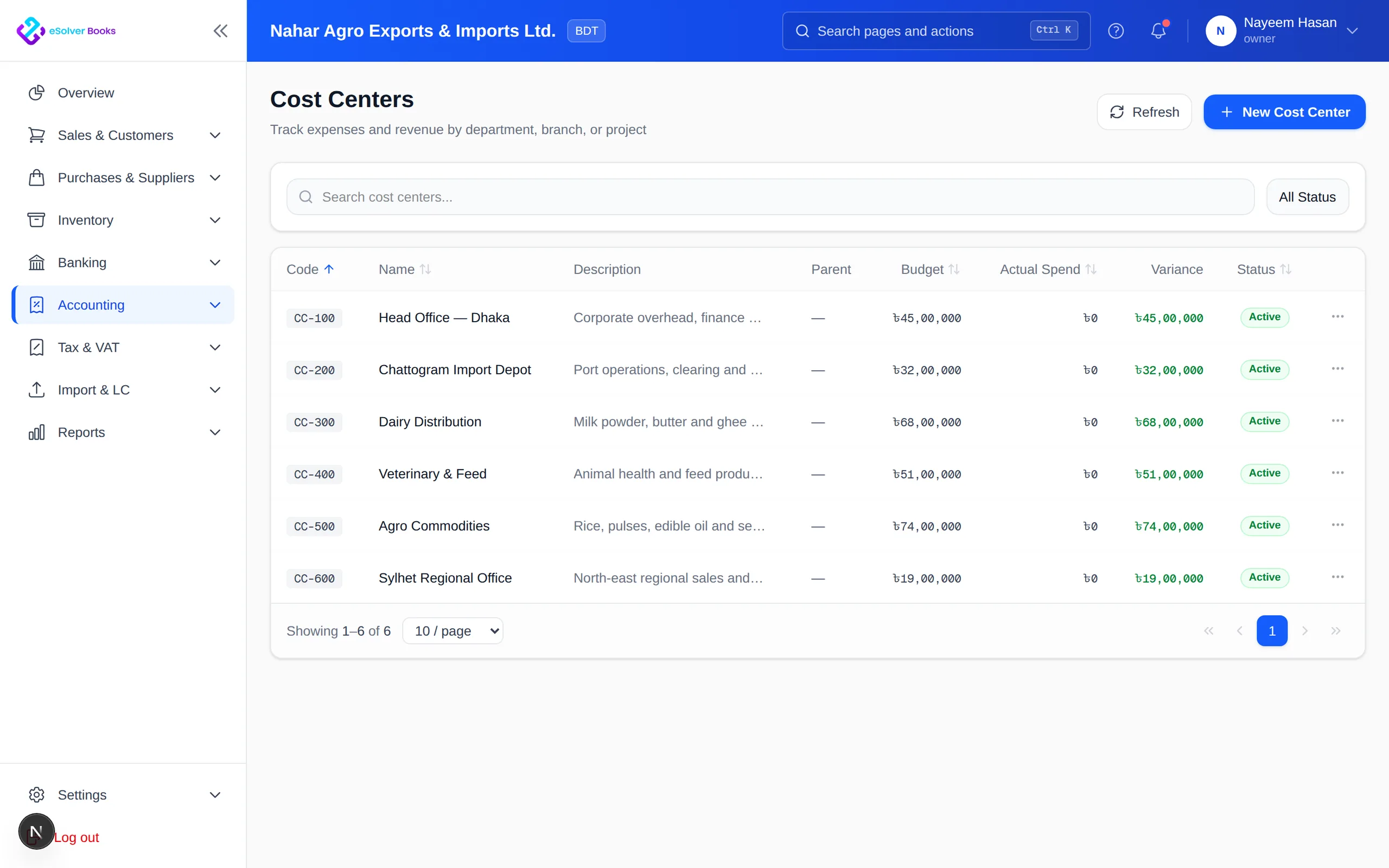
eSolverBooks / Accounting / Cost centres
One connected workflow
Once a business has more than one outlet, the questions change: which branch is profitable, where is the stock, who approved that payment, and can the head office see everything without waiting for each branch's spreadsheet? eSolverBooks lets branches work inside one company file, with stores, cost centres and branch filters in reports, while roles and audit logs keep control with the owners. Multi-branch workflows and audit logs are part of the Enterprise plan.
The everyday problem
Each branch sends its own sheet, in its own format, days after month end. Consolidating them is manual work.
One branch has surplus while another runs out, but nobody sees both at once.
When branches pay suppliers and adjust stock, owners worry about who approved what.
Without shared cost centers, comparing branches means comparing different assumptions.
Core capabilities
Hold stock in several stores, with rack and bin locations inside each.
Move goods between the central warehouse and outlets with a transfer record on both sides.
Tag income and cost to branches or departments and compare them against budgets.
Filter profit and loss and other financial reports by outlet or branch.
Use roles and approval workflows so branch teams can work without unchecked authority.
Keep a record of who did what and when, for owners and auditors.
How it works
Set up stores, cost centres and users with the roles each branch team needs.
Sell and buy per branch, transfer stock between stores and route payments through approvals.
Read branch-filtered reports, compare cost centres to budget and review the audit log.
Business outcomes
One company file with branch-level views
Stock visible by store
Branch cost and income compared to budget
Accountability through roles and logs
Compliance
Branches under one registration still need their transactions to roll up into one set of tax records.
Day one
Questions
Enterprise includes multi-branch workflows, 5 stores, audit logs and a multi-branch dashboard. Professional adds cost centers, 2 stores and outlet filtering in reports.
Yes. Inter-store transfer is available on Enterprise.
Advanced user roles are available on Professional and Enterprise. Check with our team how to configure roles for your structure.
Reports can be filtered by outlet or branch, and cost centers and budgets support comparison against targets.
Yes. Audit logs are part of the Enterprise plan.
Enterprise includes 10 users, then 100 taka per extra user per month.
Get started
Discuss your current process, data, team, and reporting requirements with eSolverBooks.