
Statements from live posting
P&L, balance sheet, cash flow, trial balance and changes in equity built from the same ledger.
Turn current accounting records into structured statements and move from summary results to the transactions that explain them.
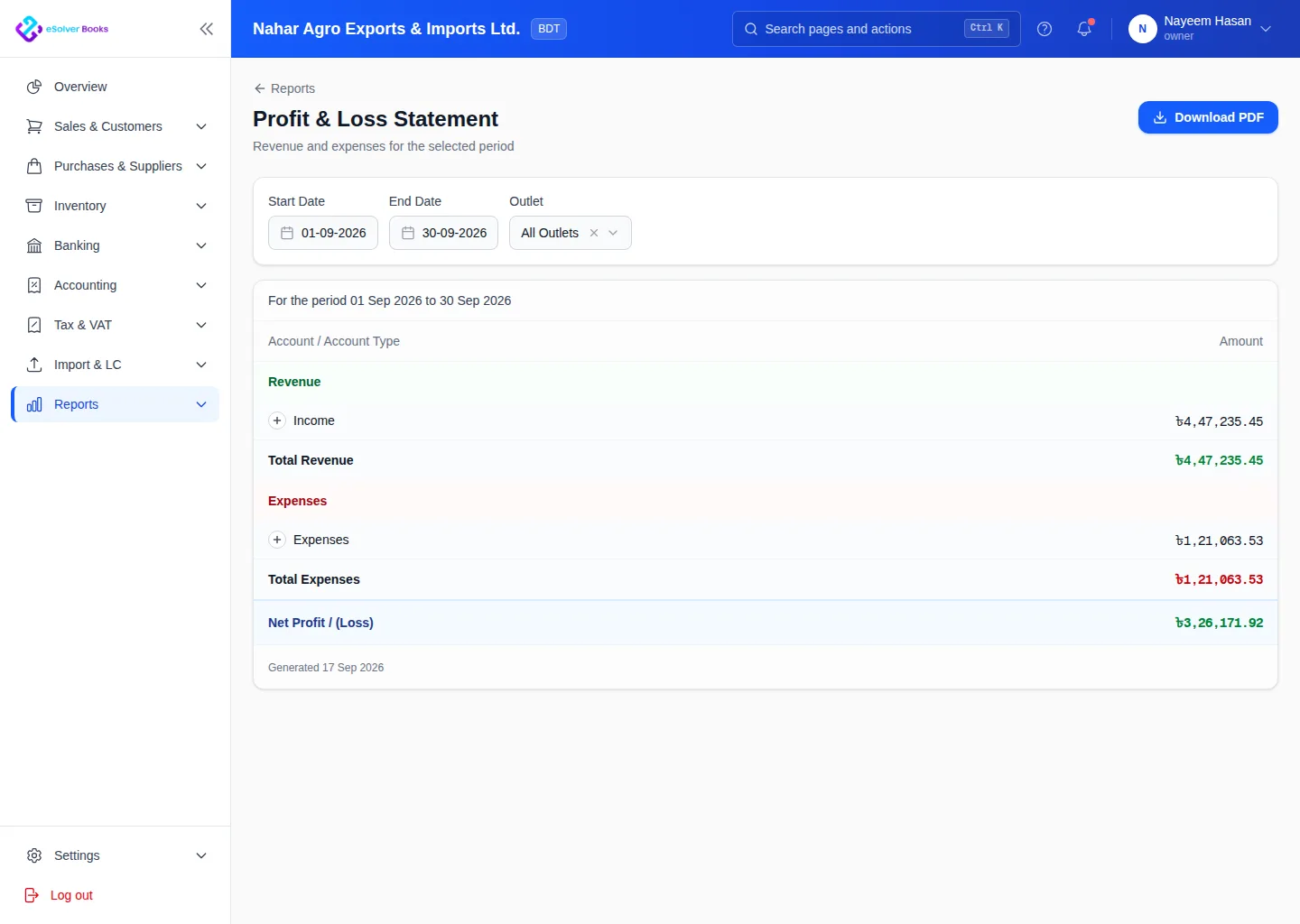
eSolverBooks / Reports / Profit & loss
How it works
A practical workflow your team can follow without adding disconnected spreadsheets or repeated data entry.
Record and approve sales, purchases, payments, journals and inventory movements.
Choose the period, comparison, branch, cost center and accounting basis you need.
Read profit and loss, balance sheet, cash flow and trial balance from one workspace.
Drill into account activity, resolve exceptions and export a clean stakeholder copy.
What you get
Timely reporting helps owners protect cash, understand profitability and make decisions from a shared version of the truth.
P&L, balance sheet, cash flow, trial balance and changes in equity built from the same ledger.
Compare against prior period or prior year without exporting to a spreadsheet.
Run any statement for one unit or the consolidated business.
Move from a reported figure to the account, then to the individual entry.
Sales and purchase registers formatted for local filing and inspection.
Hand an auditor or lender a copy that does not need reformatting.
Feature details
Understand the main workflow, what belongs inside it and how each capability supports accurate daily work.
Main feature item
See position and performance clearly.
What it includes
4 connected capabilities designed to keep this part of financial reports organized.
Included sub-items
Compare revenue, costs and net profit.
Review assets, liabilities and equity.
Understand operating, investing and financing cash.
Validate account balances before closing.
Main feature item
Investigate the totals.
What it includes
4 connected capabilities designed to keep this part of financial reports organized.
Included sub-items
Review postings and running balances.
Understand customer debt by age.
See supplier obligations and exposure.
Analyze movement, valuation and cost.
Main feature item
Compare what matters to the business.
What it includes
4 connected capabilities designed to keep this part of financial reports organized.
Included sub-items
Compare months, quarters or years.
Measure locations, teams and projects.
Focus by account, date, party or currency.
Share readable outputs with stakeholders.
Accounting reference
This feature explanation is informed by recognized accounting and control guidance. Your configuration and filing obligations should still be reviewed for your organization and jurisdiction.
Create a clearer workflow and give your team information they can understand and trust.