
Unlimited locations
Warehouses, stores, outlets and bonded areas, each with its own balance.
Multiple warehouses, stores, outlets and bonded areas each hold their own balance. Transfers record both sides, adjustments carry a reason, and batch and expiry information is captured at receipt rather than reconstructed later.
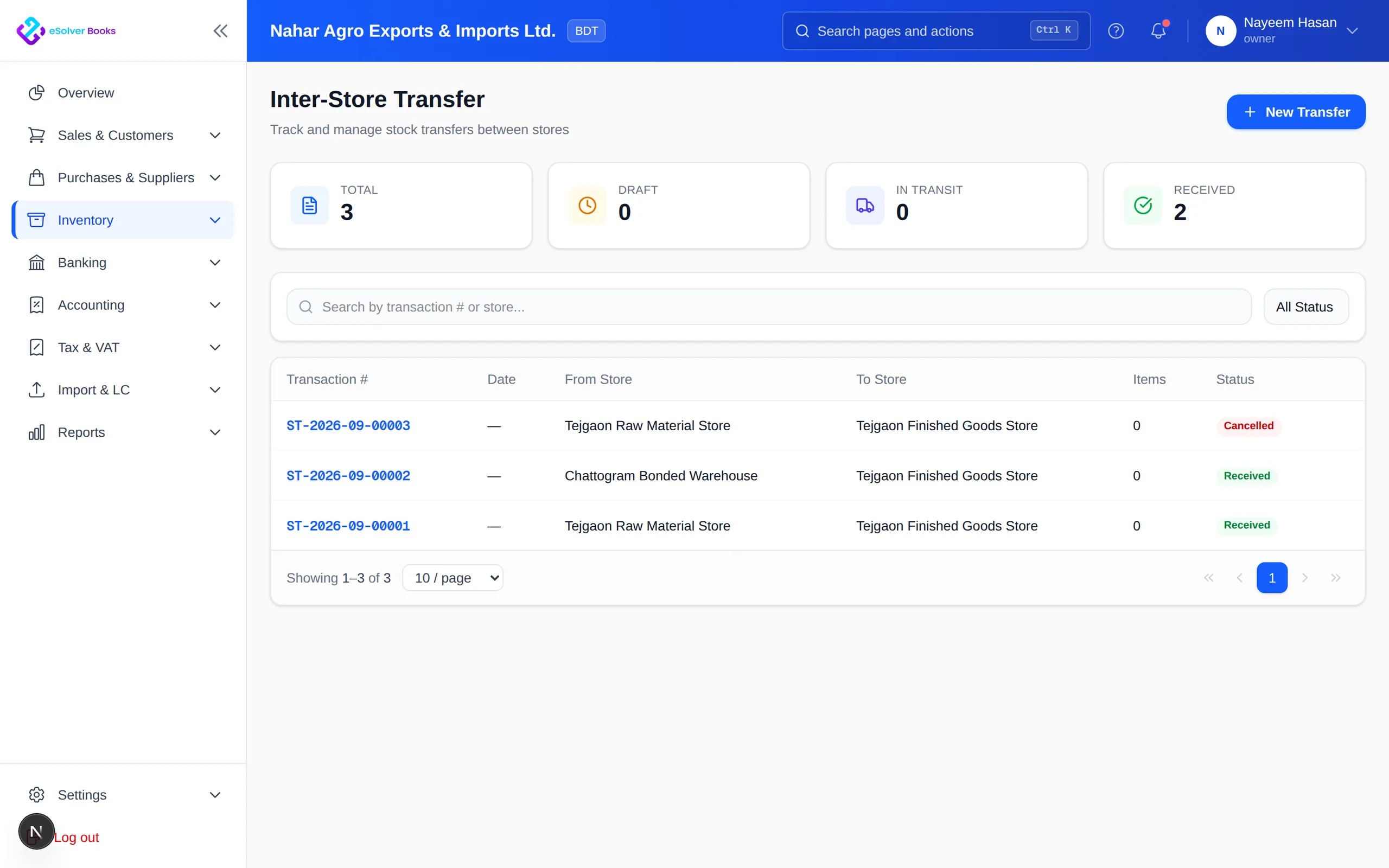
eSolverBooks / Inventory / Stock transfer
How it works
A practical workflow your team can follow without adding disconnected spreadsheets or repeated data entry.
Create warehouses, stores and bonded areas, and set which teams can move stock in each.
Post receipts to a specific warehouse with batch, lot and expiry captured at the point of entry.
Transfer stock between locations, record damage and count differences with a documented reason.
Run a physical count, post the adjustment and confirm the stock ledger agrees with the valuation.
What you get
Stock figures you can act on, movements you can explain, and a valuation that agrees with the balance sheet.
Warehouses, stores, outlets and bonded areas, each with its own balance.
Stock leaving one location and arriving at another are the same recorded movement.
Know what has left but not yet arrived.
Damage, shrinkage and count differences are explained, not just absorbed.
Duty-suspended stock tracked separately as the licence requires.
Count part of the warehouse regularly instead of shutting down for a full count.
Feature details
Understand the main workflow, what belongs inside it and how each capability supports accurate daily work.
Main feature item
Reflect how stock is actually held.
What it includes
4 connected capabilities designed to keep this part of warehouse & stock control organized.
Included sub-items
Create as many locations as the business runs.
Keep duty-suspended stock in its own controlled register.
Limit who can move stock in each place.
Load starting stock with quantity and value proven.
Main feature item
Record every change with its reason.
What it includes
4 connected capabilities designed to keep this part of warehouse & stock control organized.
Included sub-items
Despatch and receipt recorded as two sides of one movement.
See what has left but not yet arrived.
Post damage, shrinkage and count differences against a reason code.
Capture lot and expiry at receipt and track it through issue.
Main feature item
Prove the numbers.
What it includes
4 connected capabilities designed to keep this part of warehouse & stock control organized.
Included sub-items
Run full or cycle counts and post the resulting adjustment.
Value closing stock under the configured costing method.
Rank lots by how soon they expire, ahead of write-off.
Reconcile stock value to the inventory control account.
Accounting reference
This feature explanation is informed by recognized accounting and control guidance. Your configuration and filing obligations should still be reviewed for your organization and jurisdiction.
Create a clearer workflow and give your team information they can understand and trust.